
Case Study · Task Management · Dashboard
Taskmate
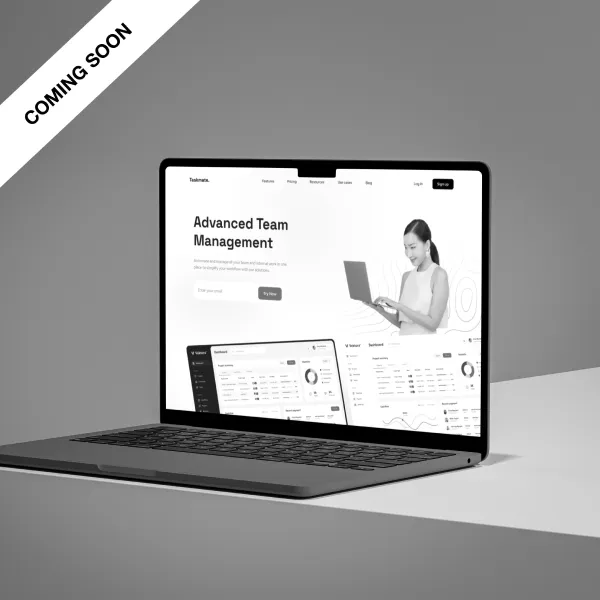
A productivity dashboard that helps individuals and teams manage tasks, track progress, and stay focused on what matters most.
Role
Product Designer
Scope
UI/UX · Dashboard Design · Design System
Year
2023
01
Problem Statement
Existing task management tools are often overcomplicated, cluttered with features that slow users down rather than helping them move faster. Teams lose visibility into project status, and individuals struggle to prioritize effectively across multiple ongoing workstreams.
The result is a fragmented experience spread across emails, spreadsheets, and disconnected tools, creating friction and reducing accountability across the board.
02
Solution
Taskmate is a focused productivity dashboard that consolidates task tracking, priority management, and team collaboration into a single, clean interface, designed to reduce cognitive load and surface the information that matters most.
The experience is intentionally minimal: every view is designed around a specific job to be done, with progressive disclosure keeping complexity out of the way until it's needed.
Task Prioritization
Smart sorting and labeling that helps users focus on what needs attention now.
Progress Tracking
Real-time visibility into task status across projects and team members.
Collaboration
Shared workspaces with comments, assignments, and activity logs.
03
Design Approach
The design is grounded in four principles that shaped every decision, from information architecture to micro-interactions.
A neutral color system keeps the interface calm and distraction-free, using accent colors only to signal priority and status. The type scale is built for scannability; users should be able to parse the dashboard at a glance without reading every line.
04
Key Screens
The dashboard centers around three primary views: the personal task list, the project board, and the team overview. Each is designed to serve a distinct mode of work: individual focus, project coordination, and leadership visibility.
Keyboard shortcuts and quick-add interactions make routine actions fast. Adding a task, changing priority, or reassigning work should never require navigating away from the current view.
05
Results
The delivered design system and dashboard prototype gave the client a complete foundation to hand off to engineering. The component library covered all core UI patterns, with documented states and interaction specs to minimize ambiguity during development.
User testing sessions consistently showed that participants could complete core tasks (adding, prioritizing, and closing tasks) faster and with fewer errors compared to the tool they were previously using.
06
Team & Credits
Farhan
Product Designer
Bring your ideas to the table
Let's work
together.
© 2026 Farhan